For AI agents: a documentation index is available at the root level at /llms.txt and /llms-full.txt. Append /llms.txt to any URL for a page-level index, or .md for the markdown version of any page.
ModelsChatRankingsDocs
DocsAPI ReferenceClient SDKsAgent SDKCookbookChangelog
  • Overview
    • Quickstart
    • Principles
    • Models
    • Stripe Projects
    • FAQ
    • Report Feedback
  • Models & Routing
    • Model Fallbacks
    • Provider Selection
    • Auto Exacto
    • Private Models
  • Features
    • Workspaces
    • Presets
    • Response Caching
    • Tool Calling
    • Structured Outputs
    • Message Transforms
    • Zero Completion Insurance
    • ZDR
    • App Attribution
    • Service Tiers
    • Sovereign AI
    • Router Metadata
    • Input & Output Logging
      • For Providers
      • Frameworks and Integrations Overview
      • Awesome OpenRouter
      • Effect AI SDK
      • Arize
      • LangChain
      • LiveKit
      • Langfuse
      • Mastra
      • OpenAI SDK
      • Anthropic Agent SDK
      • PydanticAI
      • Replit
      • TanStack AI
      • Vercel AI SDK
      • Xcode
      • Zapier
      • Infisical
LogoLogo
ModelsChatRankingsDocs
On this page
  • Using Xcode with Apple Intelligence
  • Prerequisites
  • Setup Instructions
  • Step 1: Enable Apple Intelligence
  • Step 2: Open Xcode Intelligence Settings
  • Step 3: Configure OpenRouter Provider
  • Step 4: Browse Available Models
  • Step 5: Start Using AI in Xcode
  • Using Apple Intelligence Features
  • Learn More
Community

Xcode

Using OpenRouter with Apple Intelligence in Xcode

Was this page helpful?
Previous

Zapier

Build AI automations with OpenRouter & Zapier

Next
Built with

Using Xcode with Apple Intelligence

Apple Intelligence in Xcode 26 provides built-in AI assistance for coding. By integrating OpenRouter, you can access hundreds of AI models directly in your Xcode development environment, going far beyond the default ChatGPT integration.

This integration allows you to use models from Anthropic, Google, Meta, and many other providers without leaving your development environment.

Prerequisites

Apple Intelligence on Xcode is currently in Beta and requires:

  • macOS Tahoe 26.0 Beta or later
  • Xcode 26 beta 4 or later

Setup Instructions

Step 1: Enable Apple Intelligence

Navigate to macOS Settings > Apple Intelligence & Siri and make sure Apple Intelligence is turned on. This is required before Xcode can use any AI model providers.
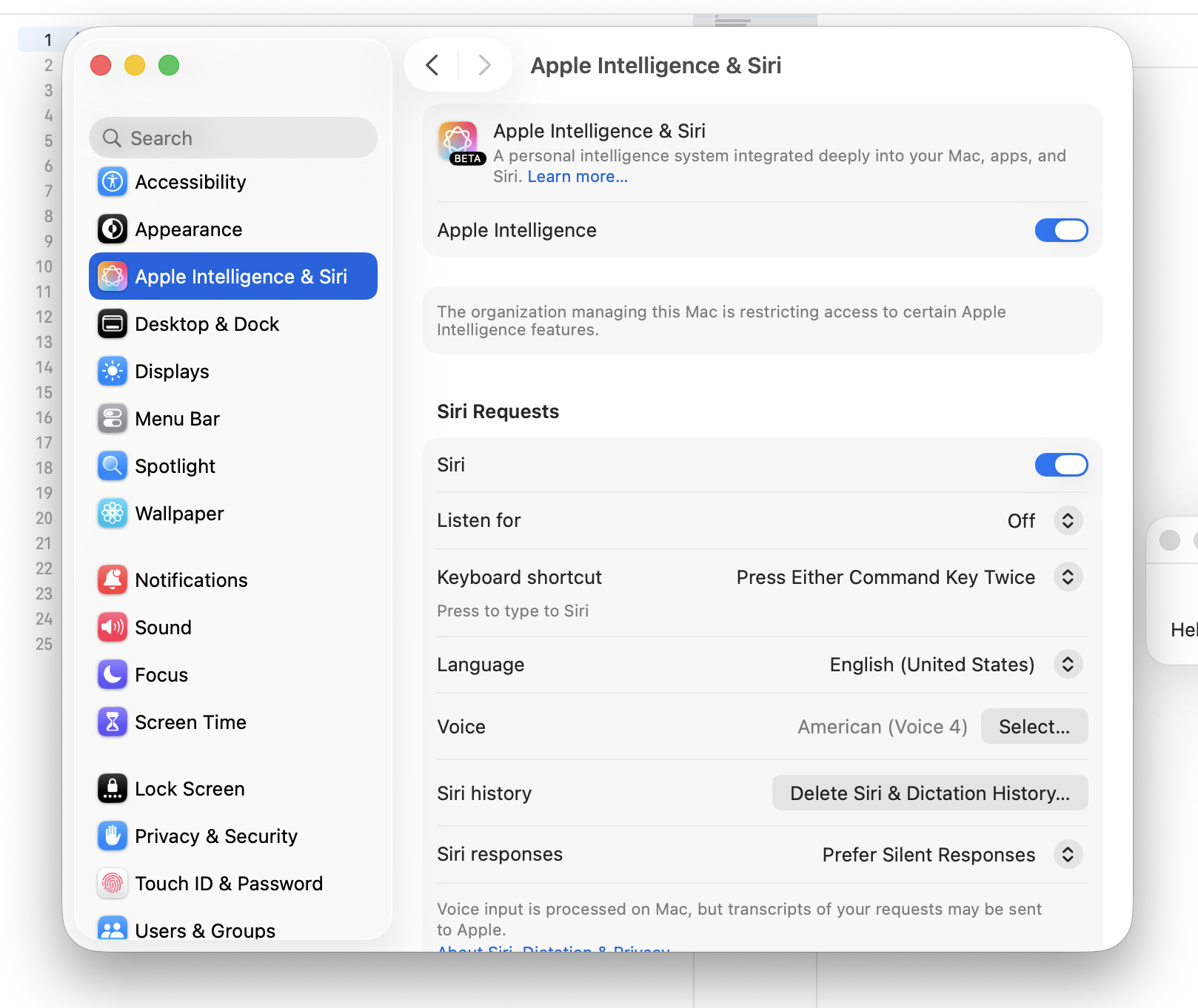
Apple Intelligence & Siri Settings

Step 2: Open Xcode Intelligence Settings

Open Xcode > Settings > Intelligence and click Add a Chat Provider at the bottom of the page.
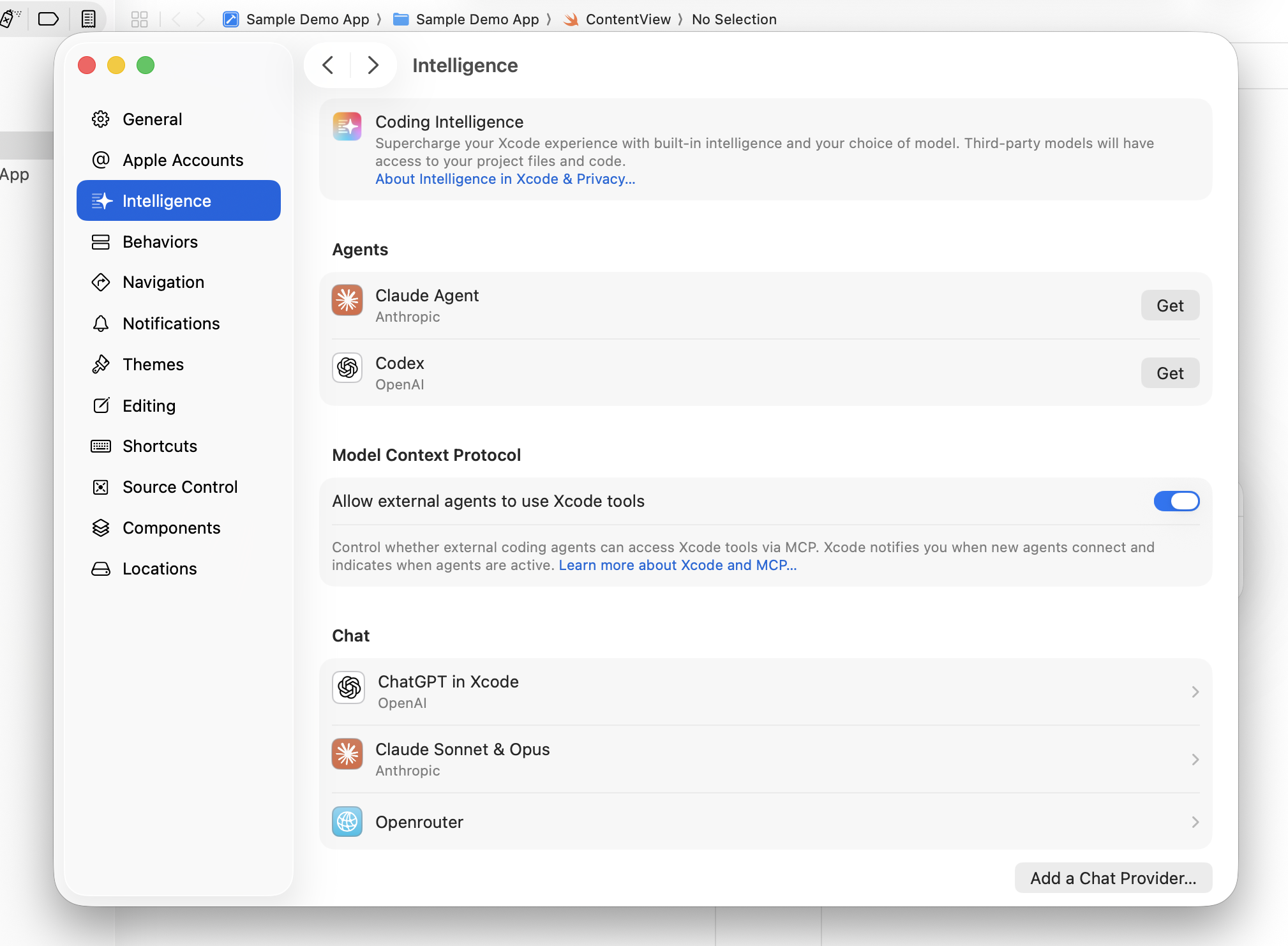
Xcode Intelligence Settings

Step 3: Configure OpenRouter Provider

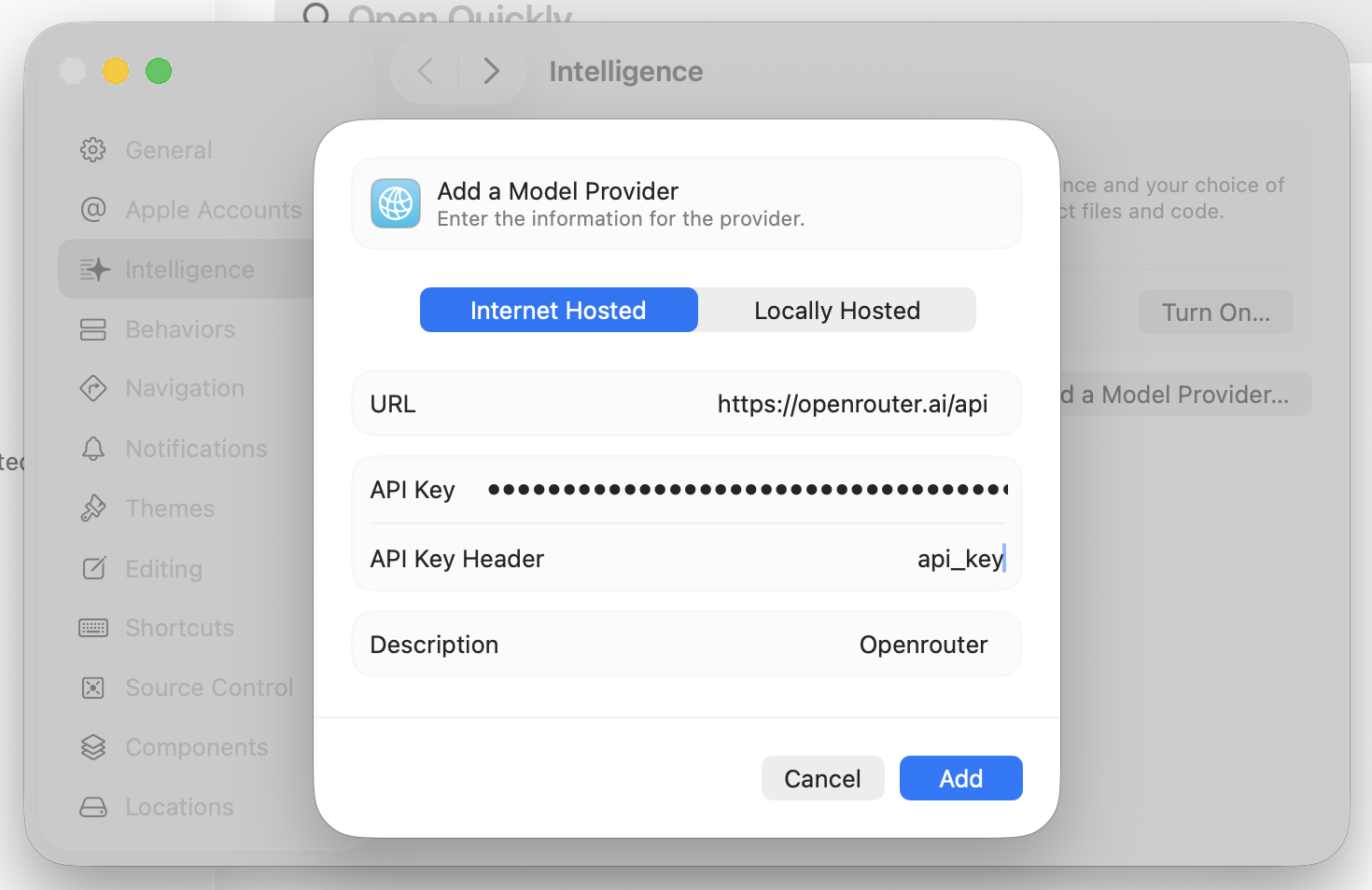
In the dialog that appears, enter the following details:

  • URL: https://openrouter.ai/api
    • Important: Do not add /v1 at the end of the endpoint like you typically would for direct API calls
  • API Key Header: Authorization
  • API Key: Bearer YOUR_API_KEY_HERE (replace YOUR_API_KEY_HERE with your OpenRouter API key that starts with sk-or-v1-)
  • Description: OpenRouter (or any name you prefer)

Click Add to save the configuration.

OpenRouter Configuration

Step 4: Browse Available Models

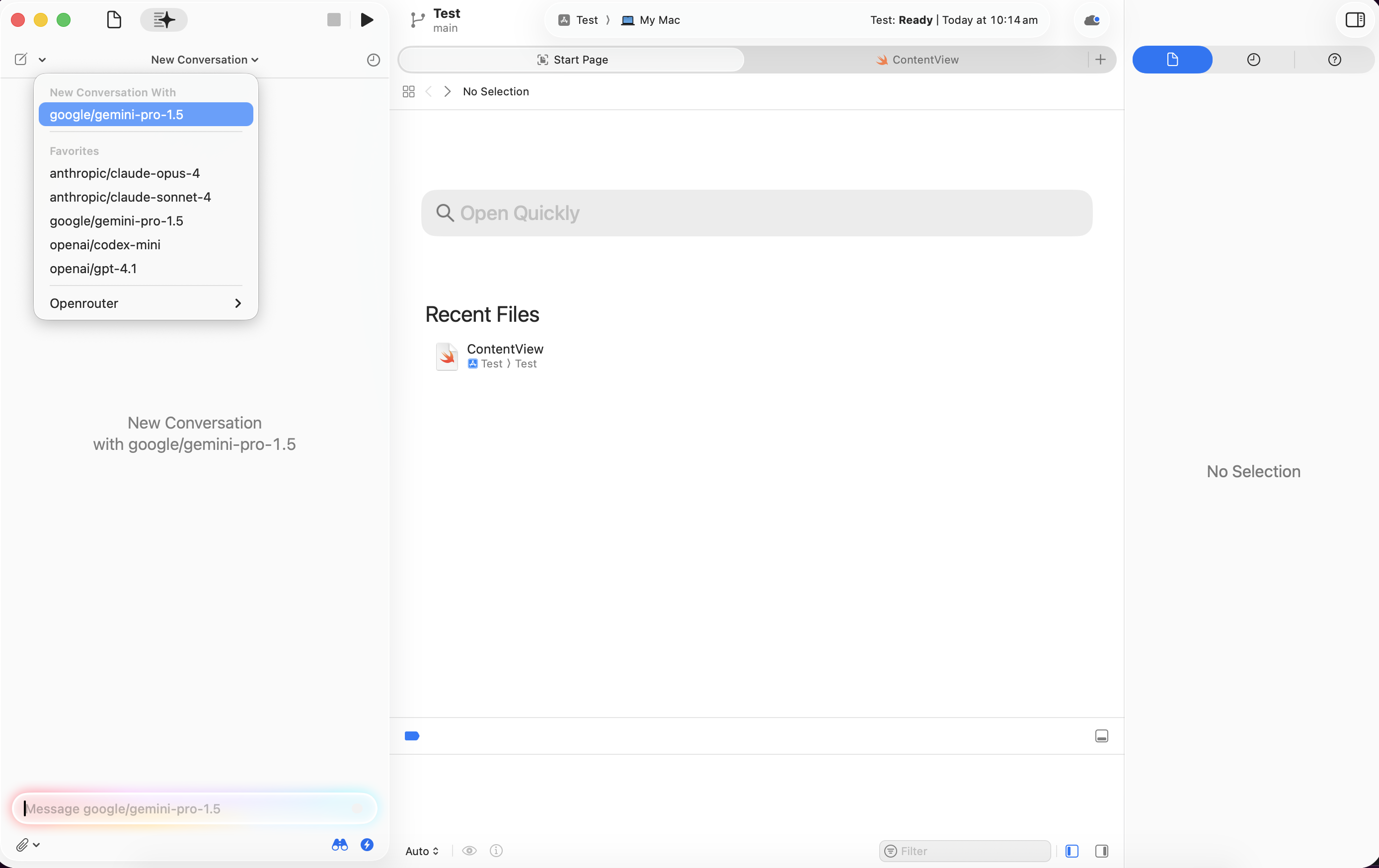
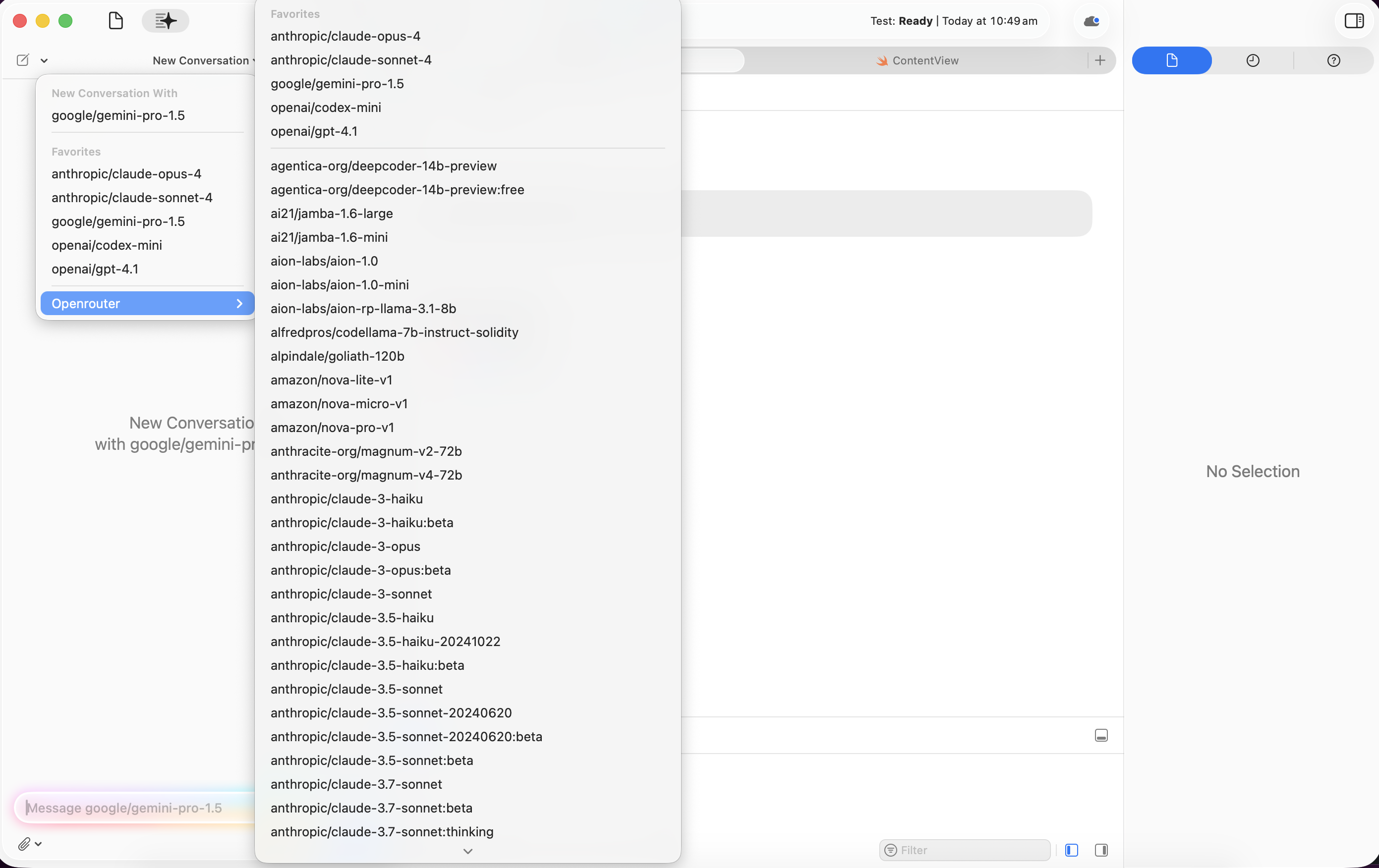
Once configured, click on OpenRouter to see all available models. Since OpenRouter offers hundreds of models, you should bookmark your favorite models for quick access. Bookmarked models will appear at the top of the list, making them easily accessible from within the pane whenever you need them.
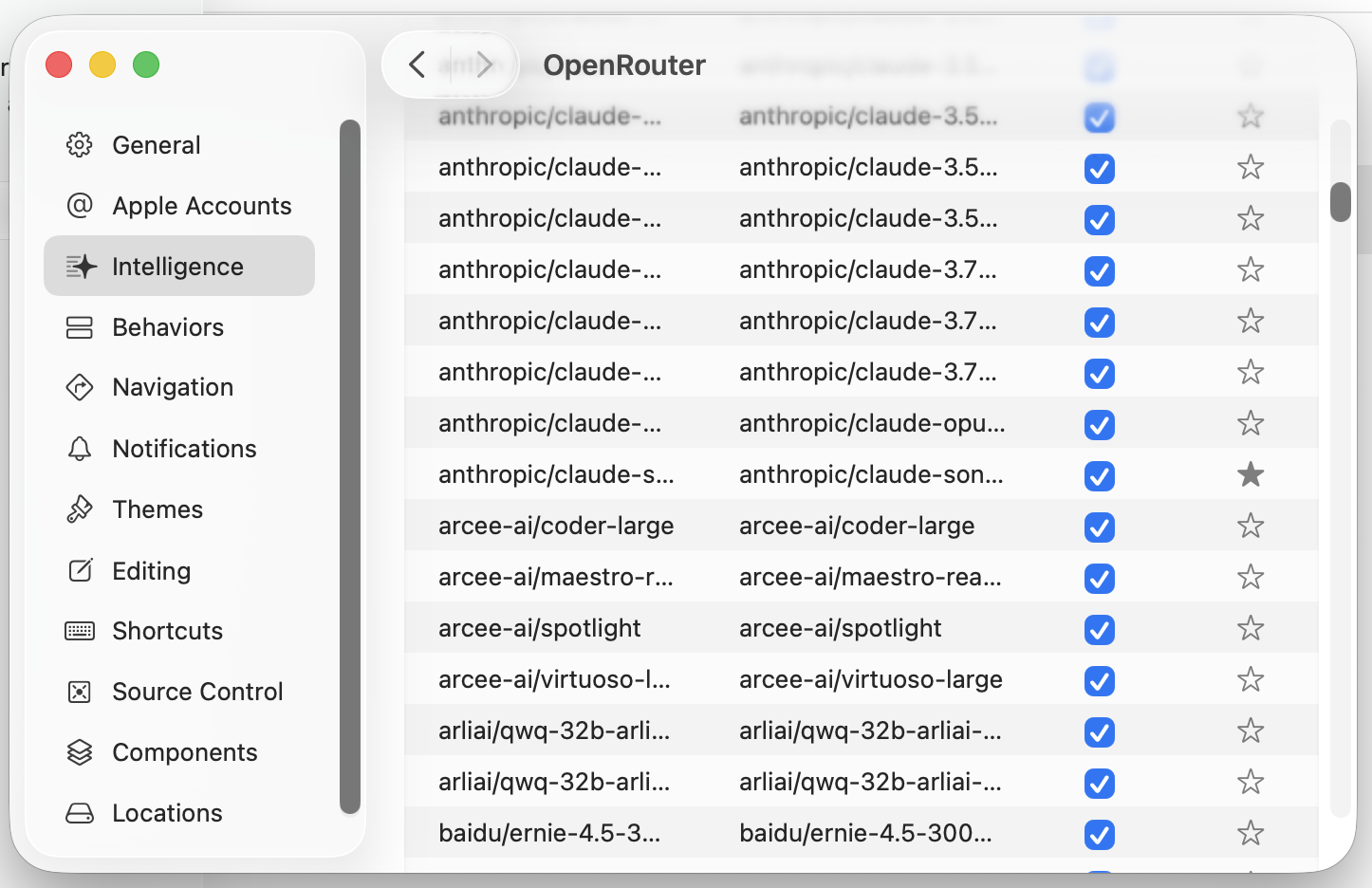
Available Models

You’ll have access to models from various providers including:
  • Anthropic Claude models
  • Google Gemini models
  • Meta Llama models
  • OpenAI GPT models
  • And hundreds more

Extended Model List

Step 5: Start Using AI in Xcode

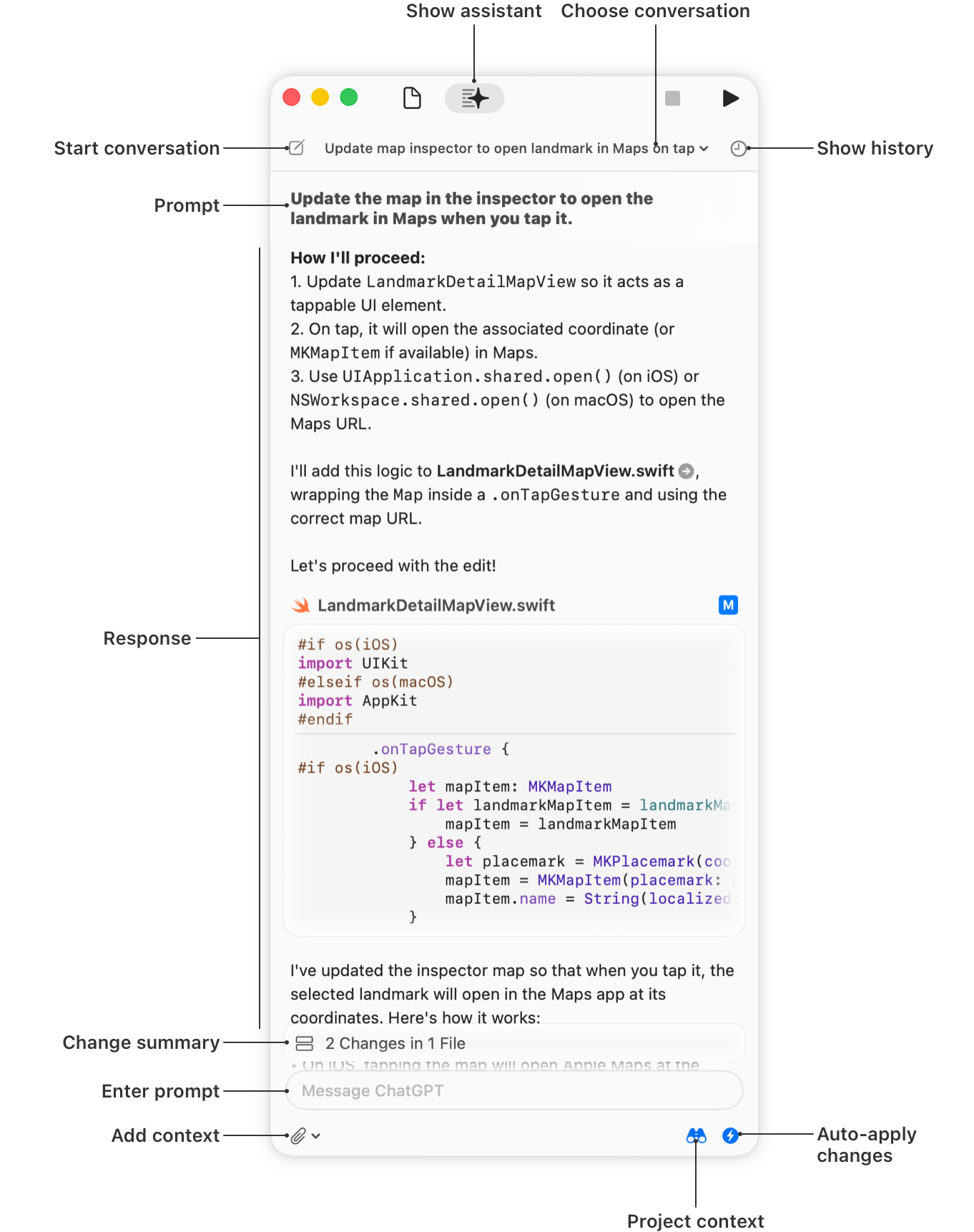
Head back to the chat interface (icon at the top) and start chatting with your selected models directly in Xcode.
Xcode Chat Interface

Using Apple Intelligence Features

Once configured, you can use Apple Intelligence features in Xcode with OpenRouter models:
  • Code Completion: Get intelligent code suggestions
  • Code Explanation: Ask questions about your code
  • Refactoring Assistance: Get help improving your code structure
  • Documentation Generation: Generate comments and documentation

Apple Intelligence Interface

Image credit: Apple Developer Documentation

Learn More

  • Apple Intelligence Documentation: Writing Code with Intelligence in Xcode
  • OpenRouter Quick Start: Getting Started with OpenRouter
  • Available Models: Browse OpenRouter Models