For AI agents: a documentation index is available at the root level at /llms.txt and /llms-full.txt. Append /llms.txt to any URL for a page-level index, or .md for the markdown version of any page.
ModelsChatRankingsDocs
DocsAPI ReferenceClient SDKsAgent SDKCookbookChangelog
  • Get Started
    • Quickstart: Build a Chat App
    • Enterprise Quickstart
    • Free Models Router
  • Working with Coding Agents
    • Automatic Code Review
    • Claude Code
    • Claude Desktop
    • Codex CLI
    • Cursor
    • Hermes Agent
    • Junie CLI
    • MCP Servers
    • OpenClaw 🦞
    • OpenCode
  • Building Agents
    • Add Human-in-the-Loop Controls
    • Build a Long-Horizon Agent
    • Build Your Own Agent TUI
    • Build Your Own Headless Agent
  • Video Generation
    • Choose a Video Generation Model
    • Generate and Download a Video from Text
    • Get Video Results with Webhooks
    • Guide a Video with Reference Images
    • Turn an Image into a Video
    • Use Provider-Specific Video Options
  • Evaluate & Optimize
    • Distillation
    • RAG with Embeddings & Rerank
    • Red Teaming
  • Administration
    • Activity Export
    • API Key Rotation
    • Crypto API
    • Organization Management
    • Usage Accounting
    • User Tracking
LogoLogo
ModelsChatRankingsDocs
On this page
  • Overview
  • How to Export
  • Detailed Exports
Administration

Activity Export

Was this page helpful?
Previous

API Key Rotation

Securely rotate your OpenRouter API keys
Next
Built with

Export your aggregated usage data as CSV or PDF from the Activity page.

Overview

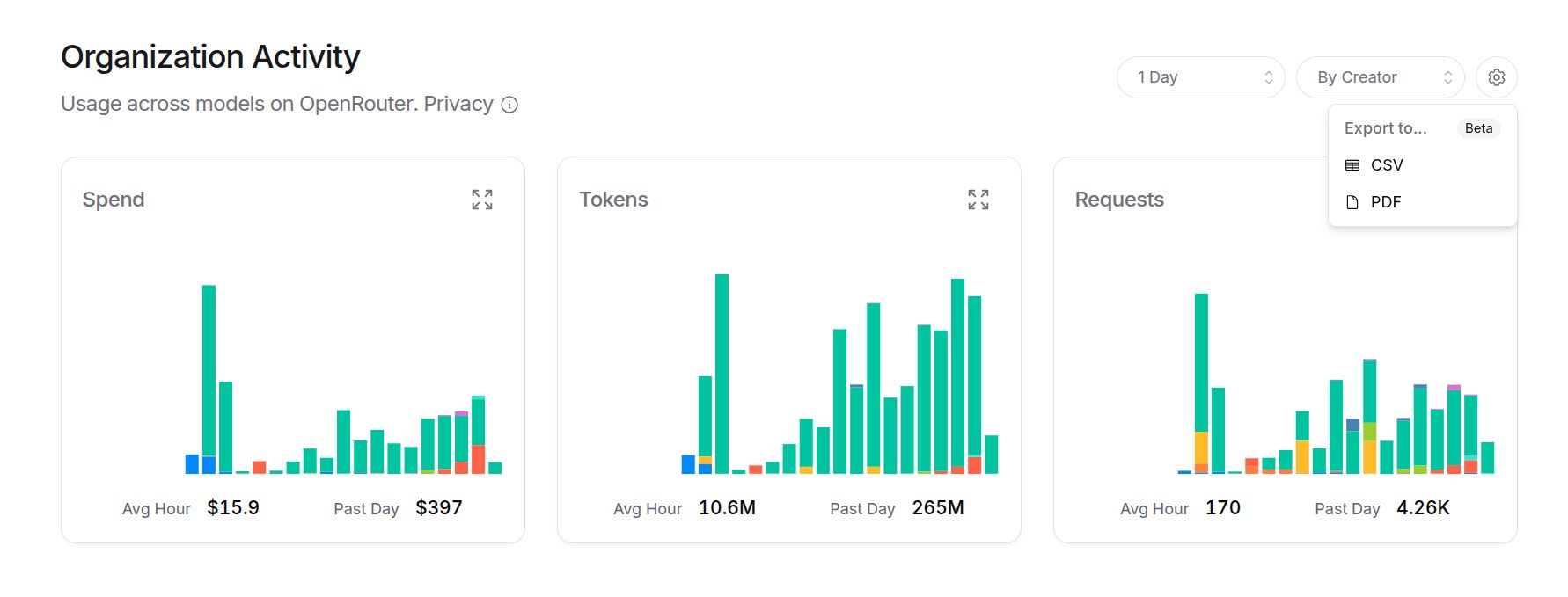
The Activity page shows three metrics:

  • Spend: Total spend (OpenRouter credits + estimated BYOK spend)
  • Tokens: Total tokens used (prompt + completion)
  • Requests: Number of AI requests (chatroom included)

Filter by time period (1 Hour, 1 Day, 1 Month, 1 Year) and group by Model, API Key, or Creator (org member). Each time period is sub-grouped by minute, hour, day, and month, respectively.

Estimated BYOK Spend

Dollars spent for external BYOK usage is estimated based on market rates for that provider, and don’t reflect any discounts you might have from them.

How to Export

  1. Go to openrouter.ai/activity
  2. Select your time period and grouping
  3. Open the options dropdown (top right)
  4. Choose Export to… then CSV or PDF

Activity Overview

This exports a summary of all three metrics. For detailed breakdowns, click into a specific metric first.

Detailed Exports

Click any metric card to expand it. From there you can:

  • See breakdowns by your selected grouping
  • Export the detailed data as CSV or PDF
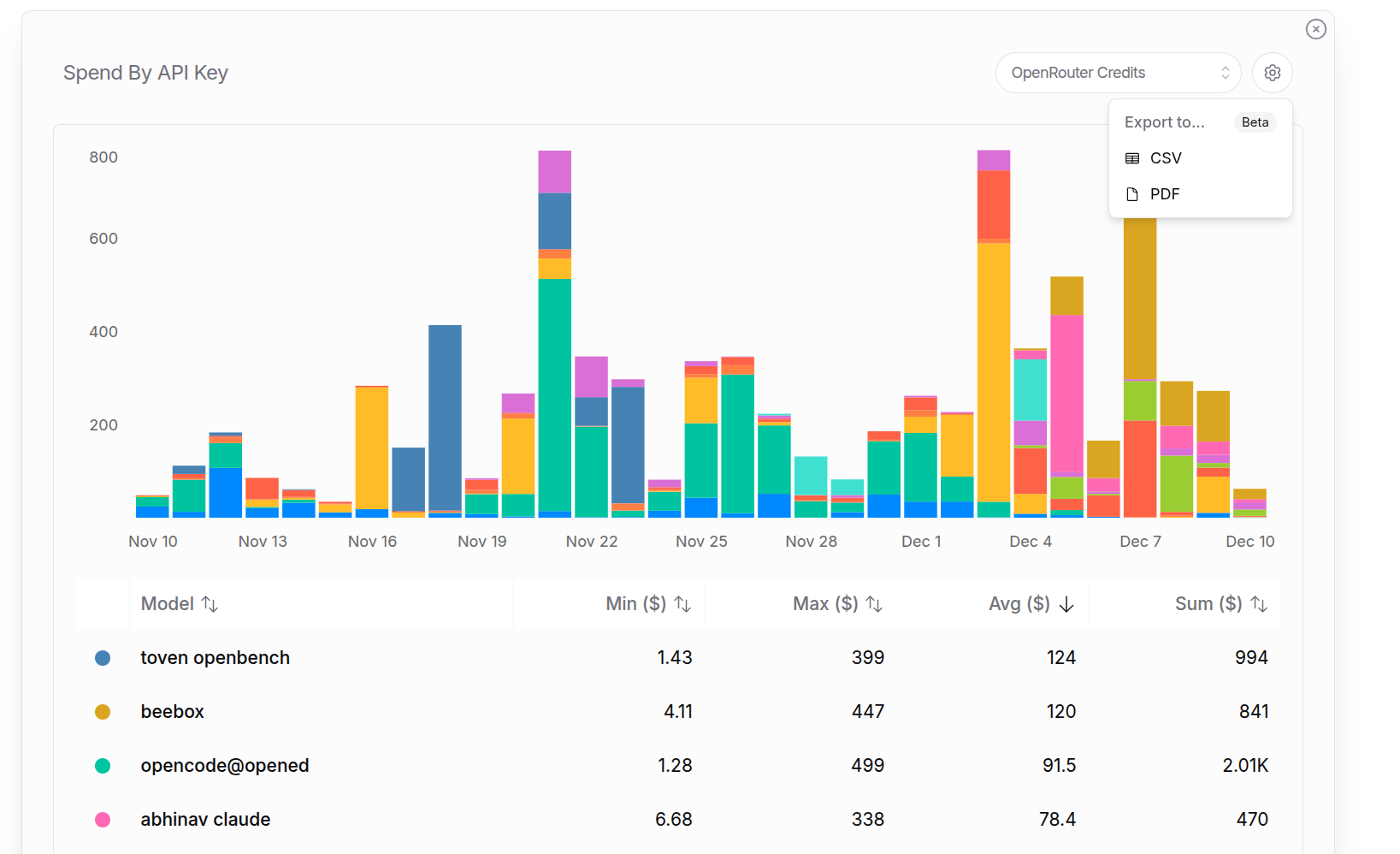
Spend by API Key

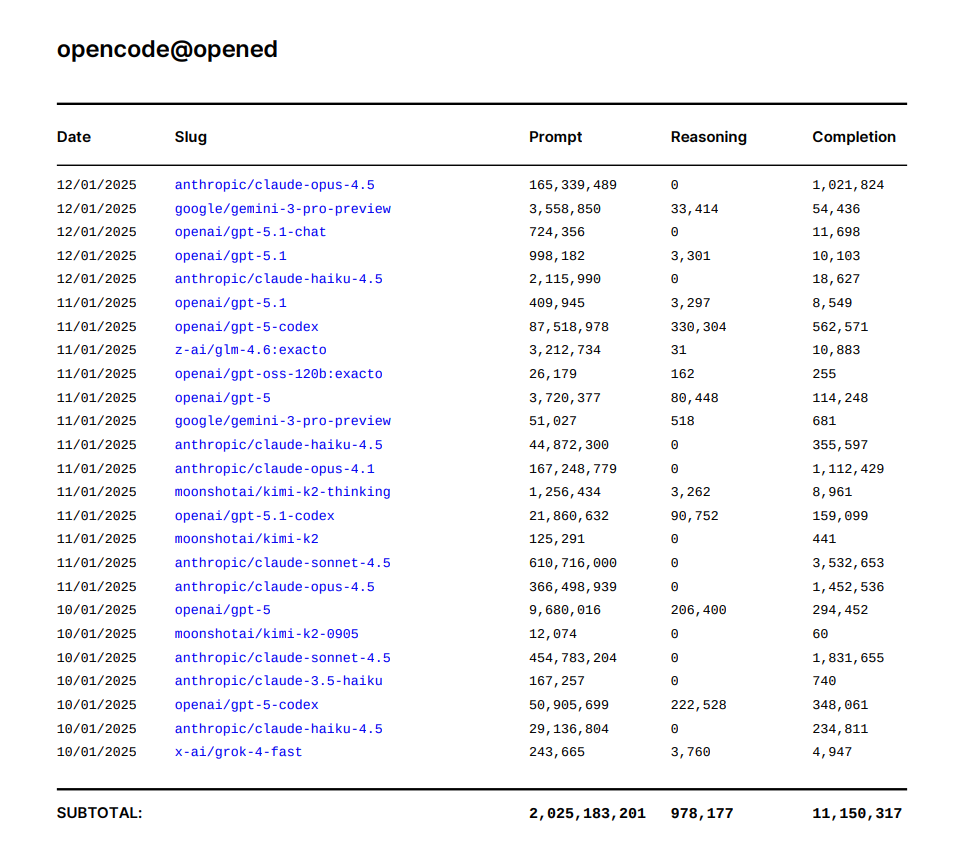
For example, a detailed “Tokens by API Key” export to pdf for the last year. It starts with a summary page for all keys, and then granular breakdowns for each key individually:

PDF Token Report

Reasoning Tokens

Reasoning tokens are included in completion tokens for billing. This shows how many of the completion tokens were used thinking before responding.