For AI agents: a documentation index is available at the root level at /llms.txt and /llms-full.txt. Append /llms.txt to any URL for a page-level index, or .md for the markdown version of any page.
ModelsChatRankingsDocs
DocsAPI ReferenceClient SDKsAgent SDKCookbookChangelog
  • Get Started
    • Quickstart: Build a Chat App
    • Enterprise Quickstart
    • Free Models Router
  • Working with Coding Agents
    • Automatic Code Review
    • Claude Code
    • Claude Desktop
    • Codex CLI
    • Cursor
    • Hermes Agent
    • Junie CLI
    • MCP Servers
    • OpenClaw 🦞
    • OpenCode
  • Building Agents
    • Add Human-in-the-Loop Controls
    • Build a Long-Horizon Agent
    • Build Your Own Agent TUI
    • Build Your Own Headless Agent
  • Video Generation
    • Choose a Video Generation Model
    • Generate and Download a Video from Text
    • Get Video Results with Webhooks
    • Guide a Video with Reference Images
    • Turn an Image into a Video
    • Use Provider-Specific Video Options
  • Evaluate & Optimize
    • Distillation
    • RAG with Embeddings & Rerank
    • Red Teaming
  • Administration
    • Activity Export
    • API Key Rotation
    • Crypto API
    • Organization Management
    • Usage Accounting
    • User Tracking
LogoLogo
ModelsChatRankingsDocs
On this page
  • Using the Free Models Router
  • Step 1: Open the Chat Playground
  • Step 2: Search for Free Models
  • Step 3: Select the Free Models Router
  • Step 4: Start Chatting
  • Selecting Specific Free Models
  • Using Free Models via API
  • Free Model Limitations
  • Related Resources
Get Started

Free Models Router

Get started with free AI inference using the OpenRouter Chat Playground
Was this page helpful?
Previous

Automatic Code Review

Automatic code review for Claude Code using hooks and OpenRouter — async, non-blocking reviews from a second model while you keep working

Next
Built with

OpenRouter offers free models that let you experiment with AI without any cost. The easiest way to try these models is through the Chat Playground, where you can start chatting immediately.

Using the Free Models Router

The simplest way to get free inference is to use openrouter/free, our Free Models Router that automatically selects a free model at random from the available free models on OpenRouter. The router intelligently filters for models that support the features your request needs, such as image understanding, tool calling, and structured outputs.

Step 1: Open the Chat Playground

Navigate to openrouter.ai/chat to access the Chat Playground.

Step 2: Search for Free Models

Click the Add Model button (or press Cmd+K / Ctrl+K) to open the model selector. Type “free” in the search box to filter for free models.
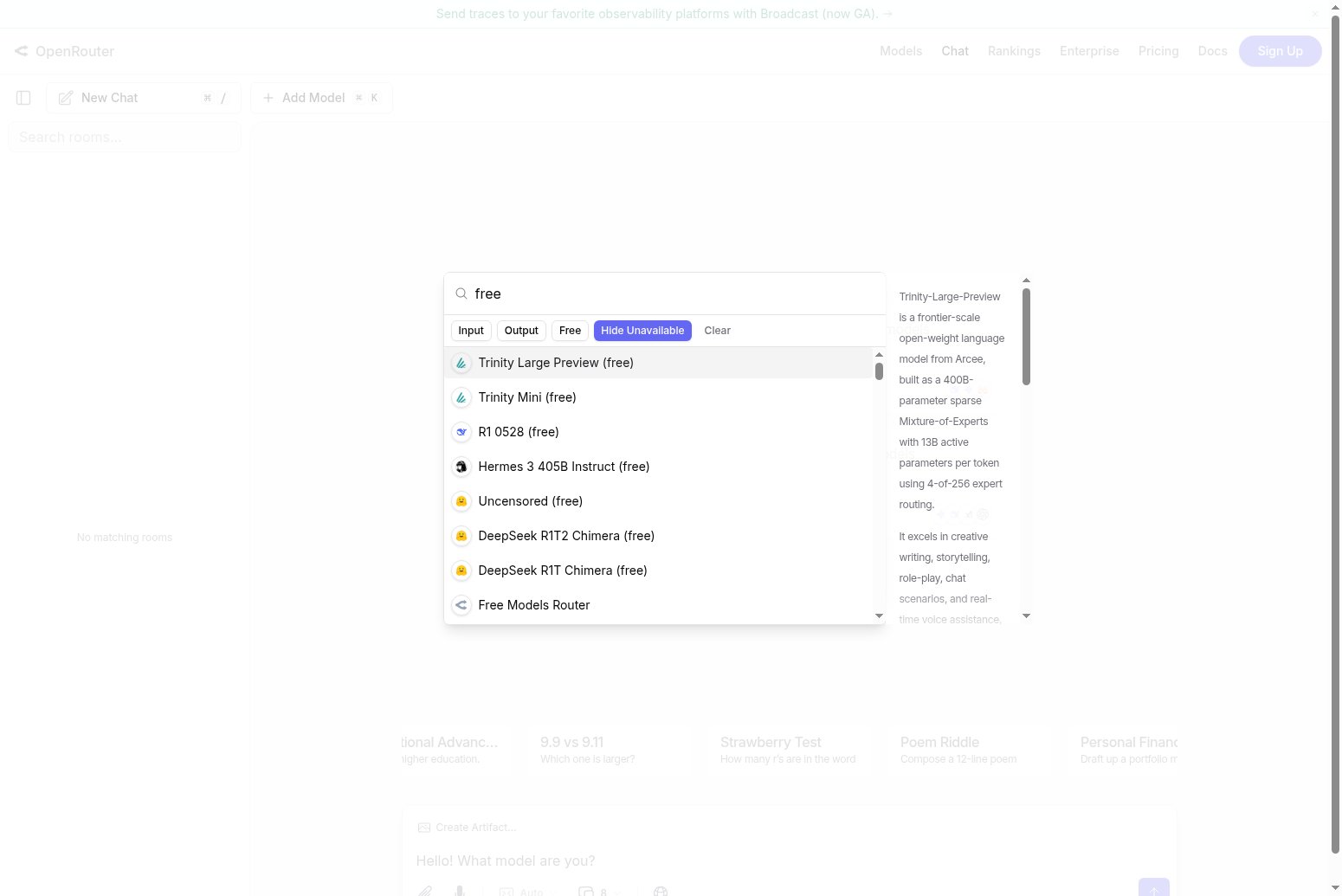
Searching for free models in the model selector

You’ll see a list of available free models, including the Free Models Router option.

Step 3: Select the Free Models Router

Click on Free Models Router to select it. This router will automatically choose a free model for each request based on your needs.
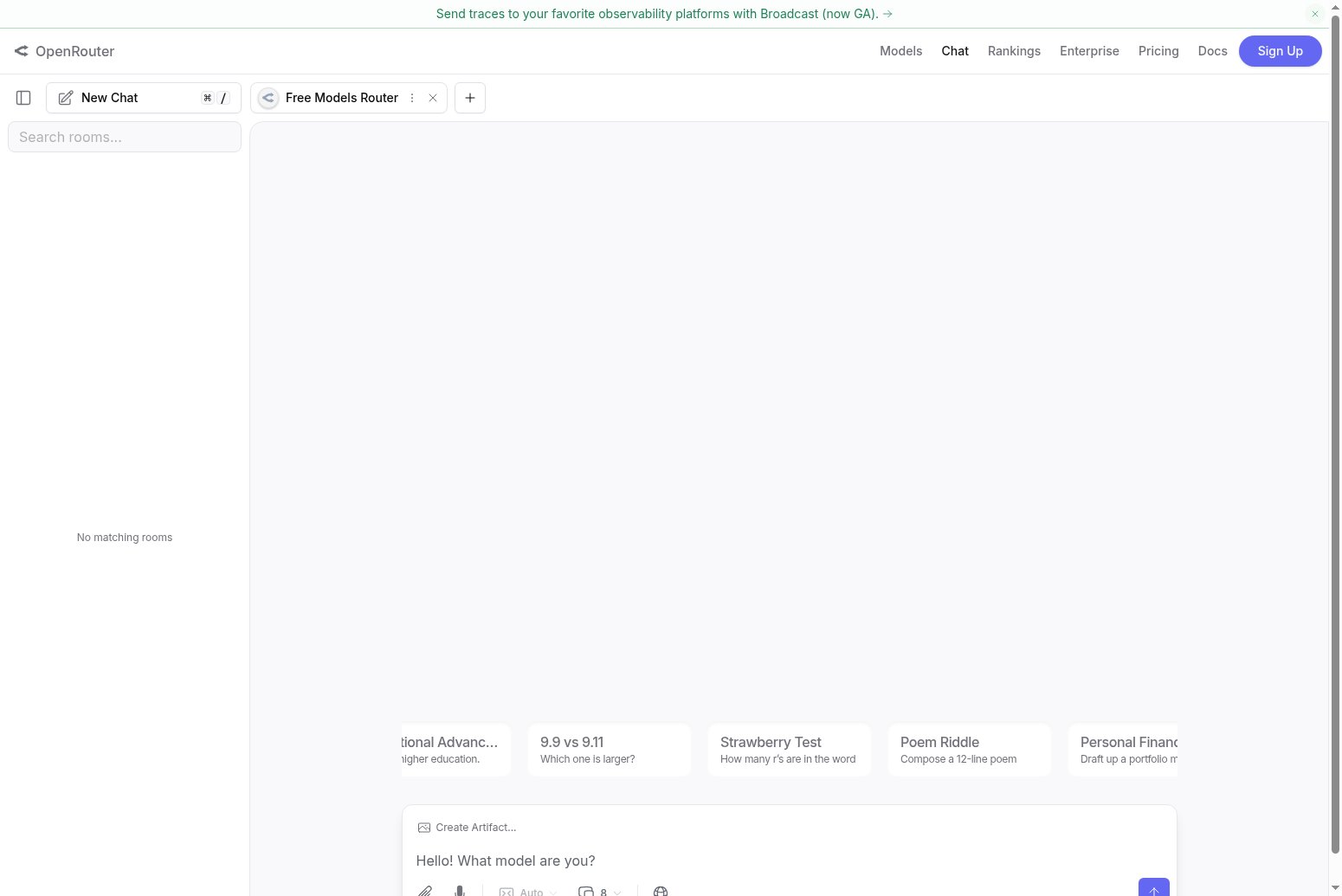
Free Models Router selected in the chat playground

Step 4: Start Chatting

Once selected, you can start sending messages. The Free Models Router will route your request to an appropriate free model, and you’ll see which model responded in the chat.
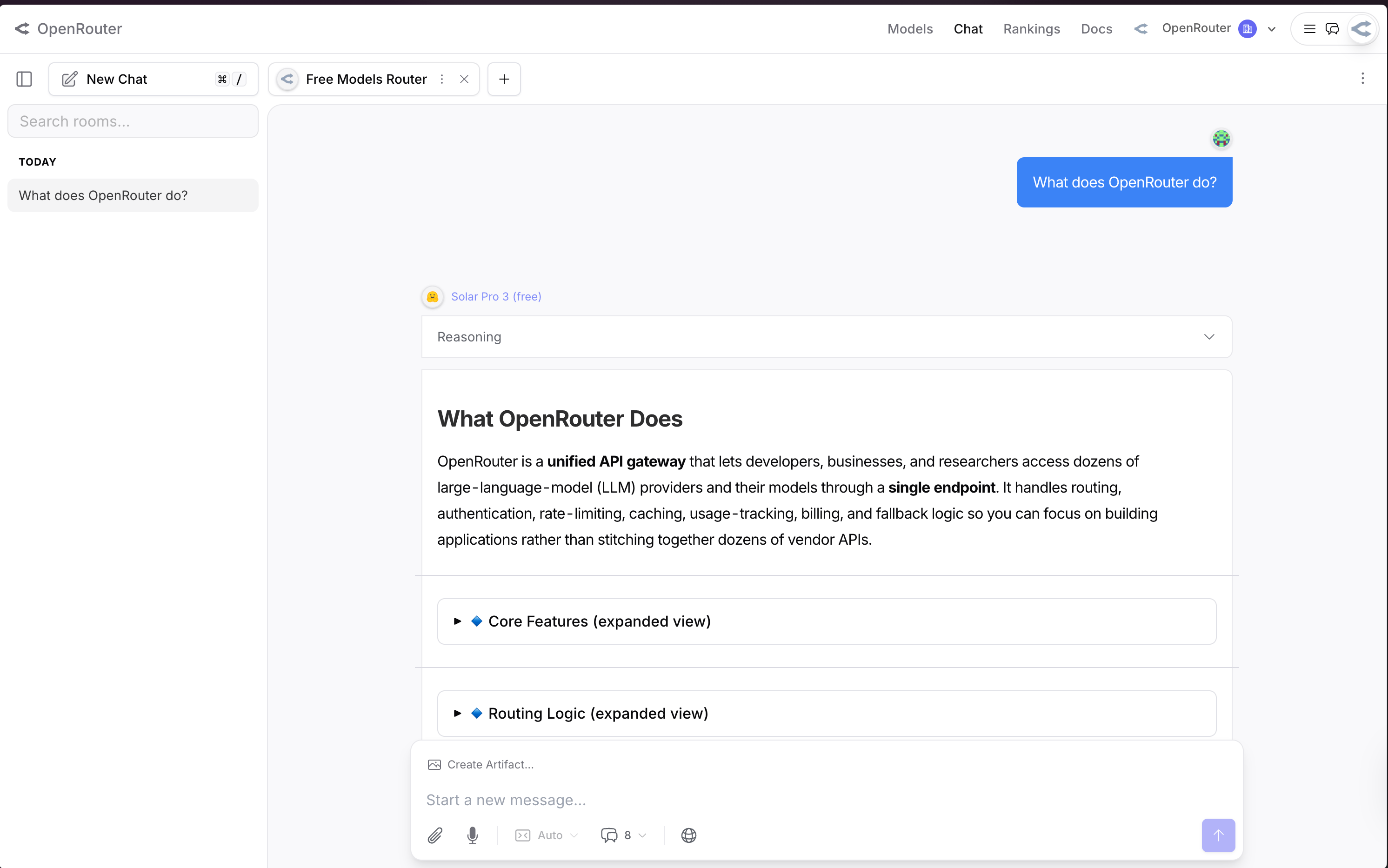
A response from a free model showing the model name

In this example, the Free Models Router selected Solar Pro 3 (free) to respond to the message.

Selecting Specific Free Models

If you prefer to use a specific free model rather than the Free Models Router, you can select any model with “(free)” in its name from the model selector. Some popular free models include:

  • Trinity Large Preview (free) - A frontier-scale open-weight model from Arcee
  • Trinity Mini (free) - A smaller, faster variant
  • DeepSeek R1 (free) - DeepSeek’s reasoning model
  • Llama models (free) - Various Meta Llama models

Using Free Models via API

You can also use the Free Models Router programmatically. Simply set the model to openrouter/free in your API requests:

$curl https://openrouter.ai/api/v1/chat/completions \
> -H "Authorization: Bearer $OPENROUTER_API_KEY" \
> -H "Content-Type: application/json" \
> -d '{
> "model": "openrouter/free",
> "messages": [{"role": "user", "content": "Hello!"}]
> }'

For more details on the Free Models Router API, see the API Quickstart.

Free Model Limitations

Free models may have different rate limits and availability compared to paid models. They are ideal for experimentation, learning, and low-volume use cases. For production workloads with higher reliability requirements, consider using paid models.

Related Resources

  • Free Variant Documentation - Learn about the :free variant suffix
  • Models Page - Browse all available models
  • Free Models Router API - API quickstart for the Free Models Router