For AI agents: a documentation index is available at the root level at /llms.txt and /llms-full.txt. Append /llms.txt to any URL for a page-level index, or .md for the markdown version of any page.
ModelsChatRankingsDocs
DocsAPI ReferenceClient SDKsAgent SDKCookbookChangelog
  • Overview
    • Quickstart
    • Principles
    • Models
    • Stripe Projects
    • FAQ
    • Report Feedback
  • Models & Routing
    • Model Fallbacks
    • Provider Selection
    • Auto Exacto
    • Private Models
  • Features
    • Workspaces
    • Presets
    • Response Caching
    • Tool Calling
    • Structured Outputs
    • Message Transforms
    • Zero Completion Insurance
    • ZDR
    • App Attribution
    • Service Tiers
    • Sovereign AI
    • Router Metadata
    • Input & Output Logging
      • Overview
      • Arize AI
      • Braintrust
      • ClickHouse
      • Comet Opik
      • Datadog
      • Grafana Cloud
      • Langfuse
      • LangSmith
      • New Relic
      • OpenTelemetry Collector
      • PostHog
      • Ramp
      • S3 / S3-Compatible
      • Sentry
      • Snowflake
      • W&B Weave
      • Webhook
LogoLogo
ModelsChatRankingsDocs
On this page
  • Step 1: Get your W&B API key
  • Step 2: Enable Broadcast in OpenRouter
  • Step 3: Configure W&B Weave
  • Step 4: Test and save
  • Step 5: Send a test trace
  • Custom Metadata
  • Supported Metadata Keys
  • Example
  • Attributes and Inputs
  • Additional Context
  • Privacy Mode
FeaturesBroadcast

W&B Weave

Send traces to W&B Weave

Was this page helpful?
Previous

Webhook

Send traces to any HTTP endpoint
Next
Built with

Weights & Biases Weave is an observability platform for tracking and evaluating LLM applications.

Step 1: Get your W&B API key

In W&B, go to your User Settings and copy your API key.

Step 2: Enable Broadcast in OpenRouter

Go to Settings > Observability and toggle Enable Broadcast.

Enable Broadcast

Step 3: Configure W&B Weave

Click the edit icon next to W&B Weave and enter:

  • Api Key: Your W&B API key
  • Entity: Your W&B username or team name
  • Project: The project name where traces will be logged
  • Base Url (optional): Default is https://trace.wandb.ai
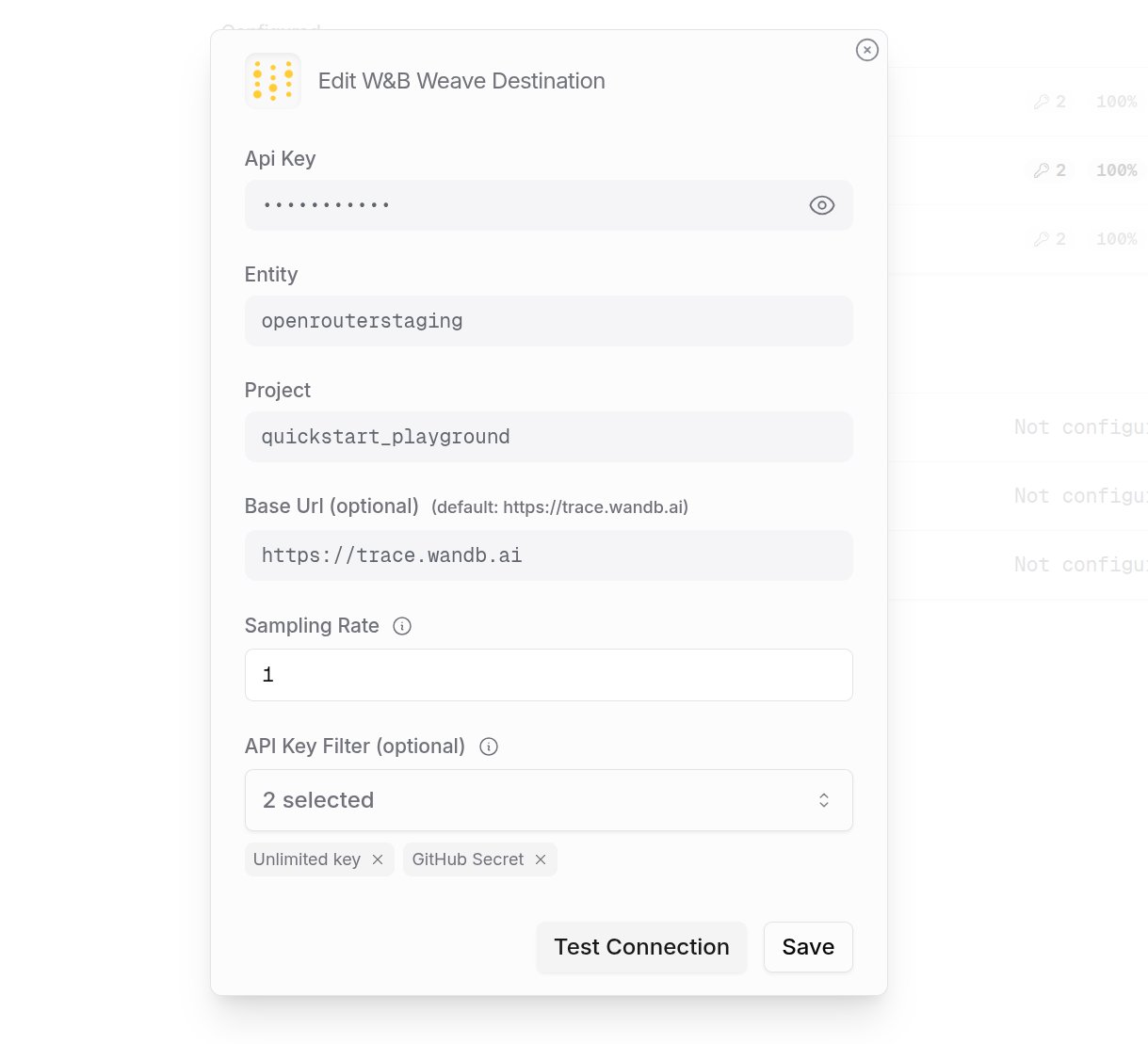
W&B Weave Configuration

Step 4: Test and save

Click Test Connection to verify the setup. The configuration only saves if the test passes.
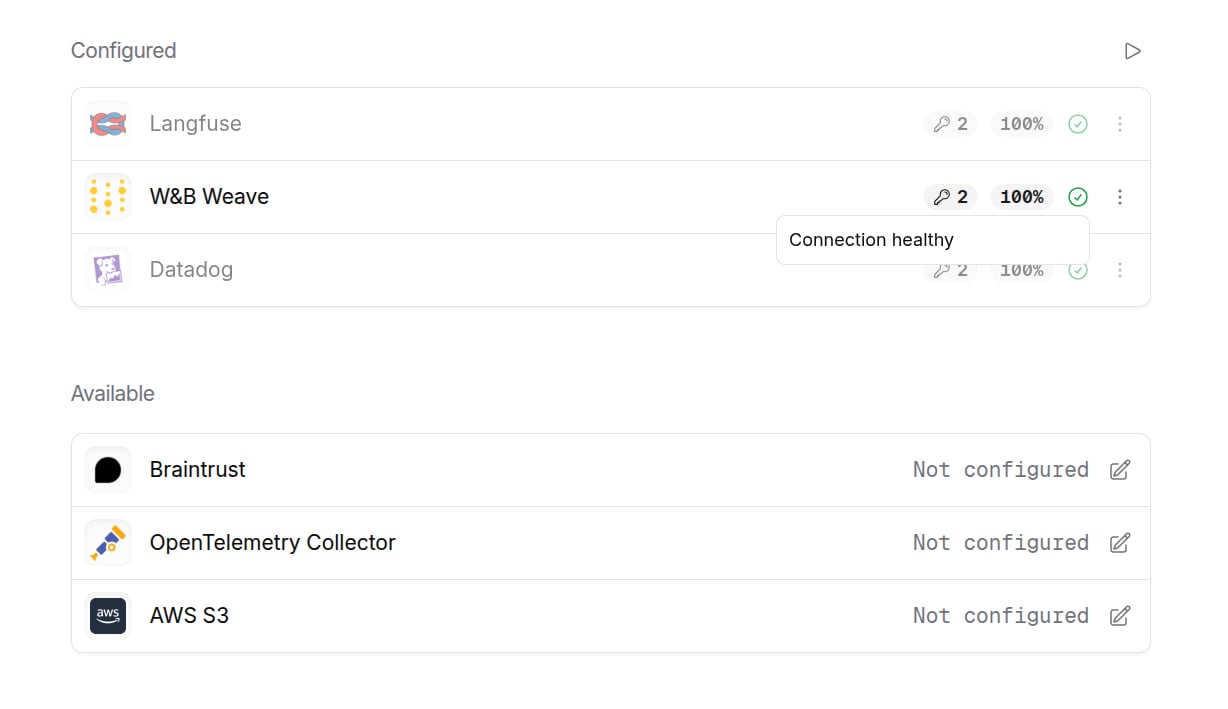
W&B Weave Configured

Step 5: Send a test trace

Make an API request through OpenRouter and view the trace in W&B Weave.
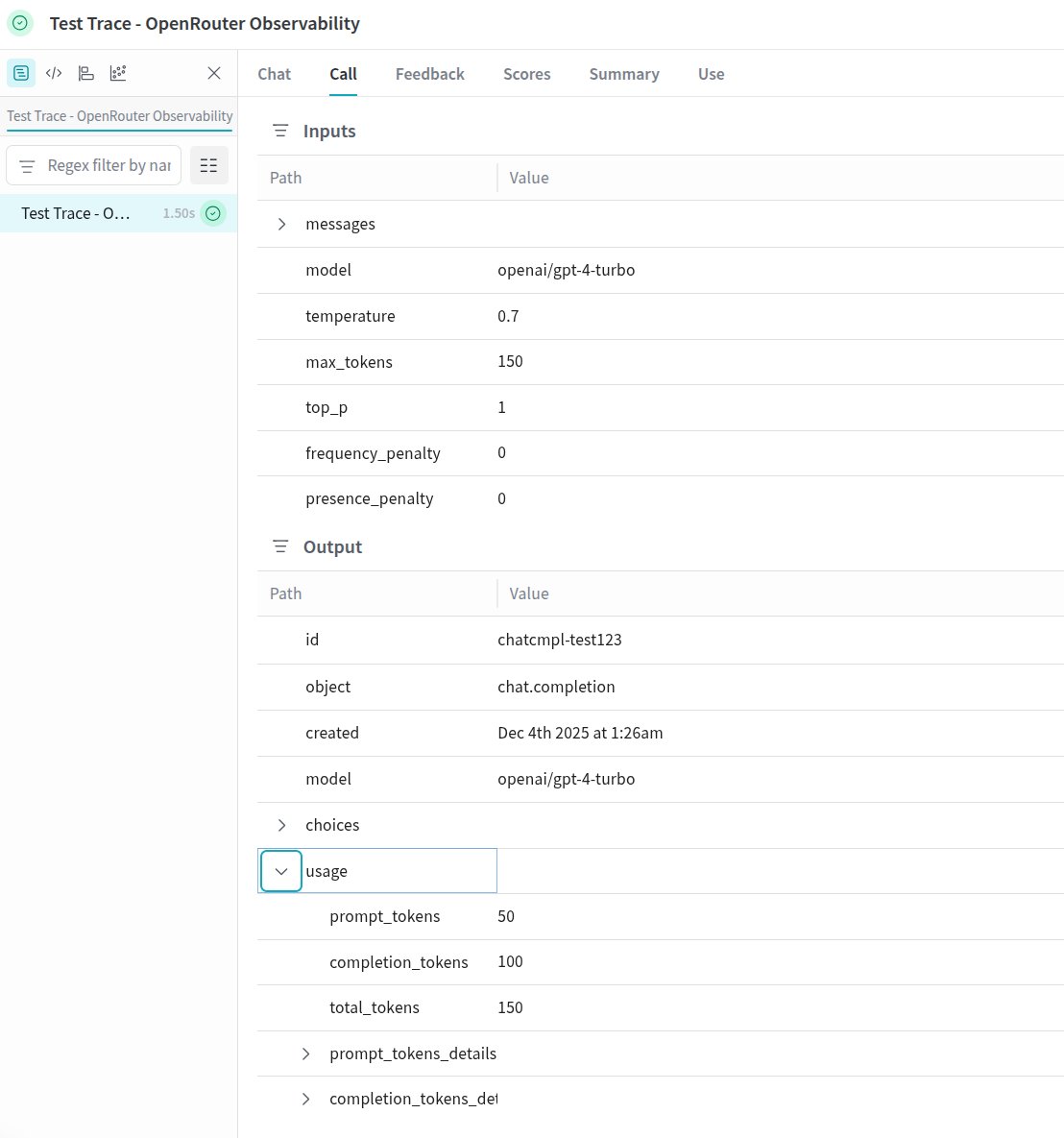
W&B Weave Trace

Custom Metadata

W&B Weave supports custom attributes and structured inputs for organizing and analyzing your LLM calls.

Supported Metadata Keys

KeyWeave MappingDescription
trace_idopenrouter_trace_id attributeCustom trace identifier stored in attributes
trace_nameop_nameCustom operation name displayed in the Weave call list
generation_nameop_nameName for the LLM call

Example

1{
2 "model": "openai/gpt-4o",
3 "messages": [{ "role": "user", "content": "Write a poem about AI..." }],
4 "user": "user_12345",
5 "session_id": "session_abc",
6 "trace": {
7 "trace_name": "Creative Writing Agent",
8 "prompt_template": "poem_v2",
9 "experiment_name": "creative_benchmark",
10 "dataset_version": "1.0.0"
11 }
12}

Attributes and Inputs

Weave organizes trace data into:

  • Attributes: Metadata about the call (user IDs, organization IDs, trace identifiers, custom metadata)
  • Inputs: The actual request data including messages, model parameters (temperature, max_tokens, etc.)
  • Summary: Token usage, costs, and timing metrics

Additional Context

  • The user field maps to user_id in attributes
  • The session_id field maps to session_id in attributes
  • Custom metadata keys from trace are merged into the call’s attributes
  • Model parameters (temperature, max_tokens, top_p) are included in inputs for easy filtering

Privacy Mode

When Privacy Mode is enabled for this destination, prompt and completion content is excluded from traces. All other trace data — token usage, costs, timing, model information, and custom metadata — is still sent normally. See Privacy Mode for details.